

In the fast-paced world of trading, timing is everything. However, manually placing multiple orders one by one can be slow, stressful, and prone to errors. To solve this, Paytm Money has completely reimagined the “Basket Order” experience.
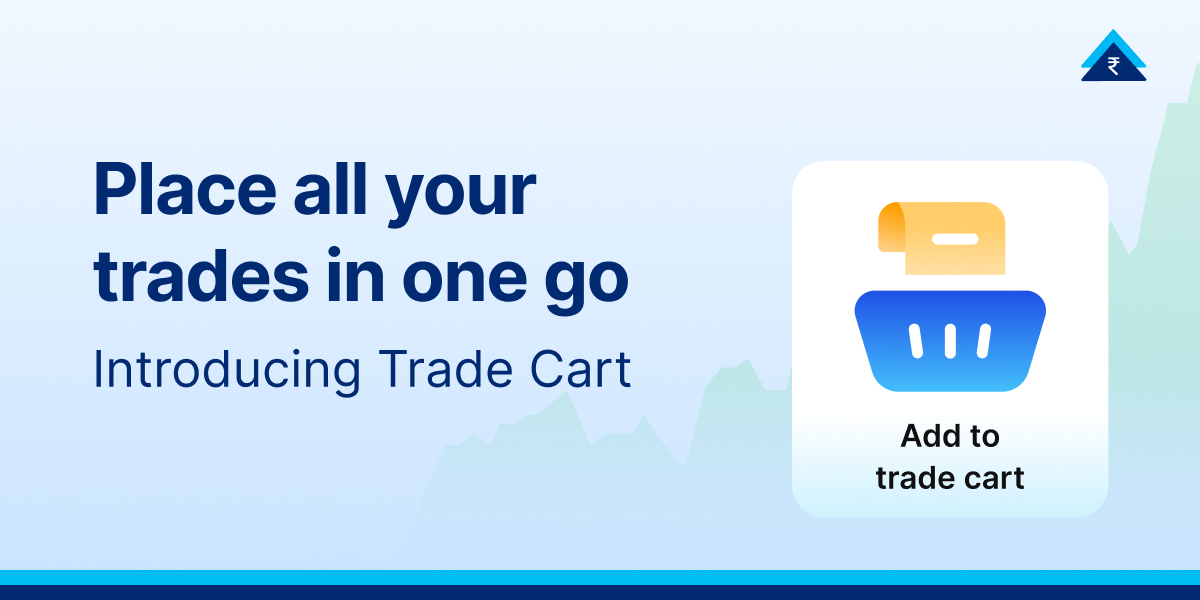
Introducing Trade Cart—a smart, intuitive upgrade that turns your trading workflow into something as simple as online shopping. It moves away from repetitive setups and adopts a familiar, online shopping-like structure where you manage one cart at a time. Whether you are a long-term investor or a daily trader, the Trade Cart is designed to bring more structure and less chaos to your screen.
Why “Trade Cart” ?
The new Trade Cart adopts an online shopping-like experience. Here is what that means for your daily workflow:
- One Cart, Total Focus: You have one central cart at a time, ensuring your strategy remains organized and singular.
- Persistence is Key: Your Trade Cart stays populated until you execute it.
- Segment Agnostic: You can combine Delivery, Intraday, and F&O trades into one single execution.
Benefits of Trade Cart
Trading with a cart doesn’t just save time; it changes your psychological approach to the market. It moves you from impulsive trading to structured execution.
1. Transparency Before the “Buy”
One of the biggest pain points in multi-leg trading is the “math fatigue.” In the Trade Cart, you can:
- Know Your Exposure: Before you hit the final confirmation, the Trade Cart allows you to review your total cash requirements.
- No Hidden Costs: You can see a breakdown of brokerage and charges for the entire batch of trades before execution.
- Discipline by Design: By seeing the total capital requirement upfront, you can trade with better discipline.
2. The Power of “1-Tap”
In a volatile market, price slippage is the enemy. If you have to place four different trades manually, the price of the fourth leg might be vastly different from the first.
- Single Confirmation: Execute your entire multi-leg trading strategy with a single action.
- Efficiency: This 1-tap execution is designed specifically for multiple positions, ensuring you enter (or exit) the market as a single trade
- Mass Exit: Use the cart to square off all Intraday or expiry scrips at the day’s close in one go, saving you from the stress of the last minute rush.
3. Access Anytime
You shouldn’t have to hunt for your tools. You can create a Trade Cart by tapping on ‘Add to Trade Cart’ button on the Company page or Derivative Contract page. Once created, the Trade Cart is designed to be a “hovering” companion throughout your journey in the app.
- Level 1 Access: It is accessible on your screen as a cart icon, whether you are in the Stocks and F&O dashboard, checking positions, adding funds, or reviewing your portfolio.
- Level 2 Integration: Add a new security by clicking on the ‘Add to Trade Cart’ button on the Company page or Derivative Contract page.
Navigation: How to Create and Use Your Cart
Navigating the new interface is designed to be frictionless. Here is your roadmap to mastering the Trade Cart:
Creating the Cart
- Trade Cart can be created by clicking on the ‘Add to Trade Cart’ button on the Company page or Derivative Contract page.
- The Hovering Icon: Once created, look for the cart icon floating on your screen.
- Add Funds Page: Even when you are topping up your balance, the cart remains accessible so you can execute immediately after your funds land.
Adding Items
- Search for a Scrip: Navigate to a specific stock page, such as Infosys.
- Quick Actions: Locate the “Quick Actions” menu on the stock overview page.
- The Button: Tap “Add to Trade Cart”. You will see this alongside other tools like “Create GTT” or “Add Price Alert”.
- Buy/Sell Toggle: You can specify whether the item in the cart is a Buy or Sell order before adding it.
Executing the Strategy
- Open the Cart: Tap the hovering icon to review your list.
- Review: Check the total capital and charges and place your order!
Understand with an Example
To see the Trade Cart in action, let’s look at a hypothetical scenario. Imagine you want to build a position in Infosys, currently trading at 1292.10.
Instead of just buying shares, you want a multi-leg approach:
- The Core: You add a Delivery order for 50 shares of Infosys to your cart.
- The Hedge: You decide to add an F&O (Futures & Options) position to hedge your downside.
- The Intraday Play: You see a short-term trend and add an Intraday scalp for a different stock.
Without Trade Cart: You would have to navigate to three different pages, set three different quantities, and hit “Buy” three times. By the time you finish, the price of Infosys might have moved.
With Trade Cart: You find Infosys, tap “Add to Trade Cart”. You navigate to your F&O dashboard and add the hedge. You open your hovering cart icon, see quantity, Last Traded Prices and Order type (Market or Limit), the total brokerage and cash required for all three trades, and hit “Execute”. Your entire strategy is deployed in one click.
You can add funds, modify or delete one or more of your individual orders from the screen. You can name each of your carts and track them in Order History. The security is quoted as an example and not as a recommendation.
Conclusion: Trade with Discipline
The Trade Cart is more than just a convenience; it is a tool for professional-grade execution. By allowing you to pre-plan your actions and execute them only when the market moves in your favorable direction, it removes the “panic” element from trading.
Whether you are placing a multi-leg strategy or simply want to club your daily trades into one structured batch, the Trade Cart is here to make your life easier.
Disclaimer: Investment in securities market is subject to market risks. Read all the related documents carefully before investing. This content is purely for information purpose only and in no way is to be considered as an advice or recommendation. The securities are quoted as an example and not as a recommendation. Investors are requested to do their own due diligence before investing.
SEBI Reg No.: Broking – INZ000240532, Research Analyst – INH000020086, Depository Participant – IN-DP-416-2019, Depository Participant Number: CDSL – 12088800, NSE (90165), BSE (6707), MCX (57525), NCDEX (1315), MSEI (85300).
Registered Office: 136, 1st Floor, Devika Tower, Nehru Place, Delhi – 110019.
For complete Disclaimers, visit https://www.paytmmoney.com.